Pain Analysis
Pain Analysis is an IRIS metric that monitors behavioral risk patterns in how providers administer pain medications to patients over the course of their visit. This metric surfaces clinically meaningful deviations — such as escalating doses, increased frequency, or progression to more potent forms — that may warrant review.
This metric highlights trends in pain medication administration behavior across individual providers. It identifies:
- Administration volume increases that are unusual compared to peers
- Administration frequency increases that deviate from normal patterns
- Form-factor switches that move to more potent medication formulations during a patient's visit
The 3 Sub-Metrics
1. Administration Volume Increases
What it analyzes: Tracks behavioral risk related to increases in the volume administered to a single patient during the course of their visit.
What IRIS looks for: Administration volume increases that sit in the top 5% of all dosage increases will trigger this sub-metric.
How to interpret: Rising volume administered over time may indicate escalating dependency or diversion. This metric flags statistically notable increases for review.
2. Administration Frequency Increases
What it analyzes: Tracks behavioral risk related to increases in administration frequency to a single patient during the course of their visit.
What IRIS looks for: Administration frequency increases that sit in the top 1% of all increases will trigger this sub-metric.
How to interpret: When a patient receives medications more frequently over their visit, it can signal unusual care patterns that deserve closer attention.
3. Form-Factor Switches
What it analyzes: Tracks behavioral risk related to form-factor switches — moving to more potent forms — during the course of a patient's visit.
What IRIS looks for: Any switch in medication form factor that results in a higher concentration will trigger this sub-metric.
How to interpret: Clinically, patients typically need less potent forms as a visit progresses. Switches to stronger form-factors (e.g injections) run counter to this expectation.
Access the Dashboard
Navigate to the Analyze tab in the main dashboard menu and select IRIS Analytics: Nursing or IRIS Analytics: OR in the dropdown menu. This will forward you to the IRIS Dashboard where you can then select the Pain Analysis on the left to view its dashboard.
The dashboard is broken out into two tabs at the top of the screen: The Tabular Data tab and the Visualized Data tab.
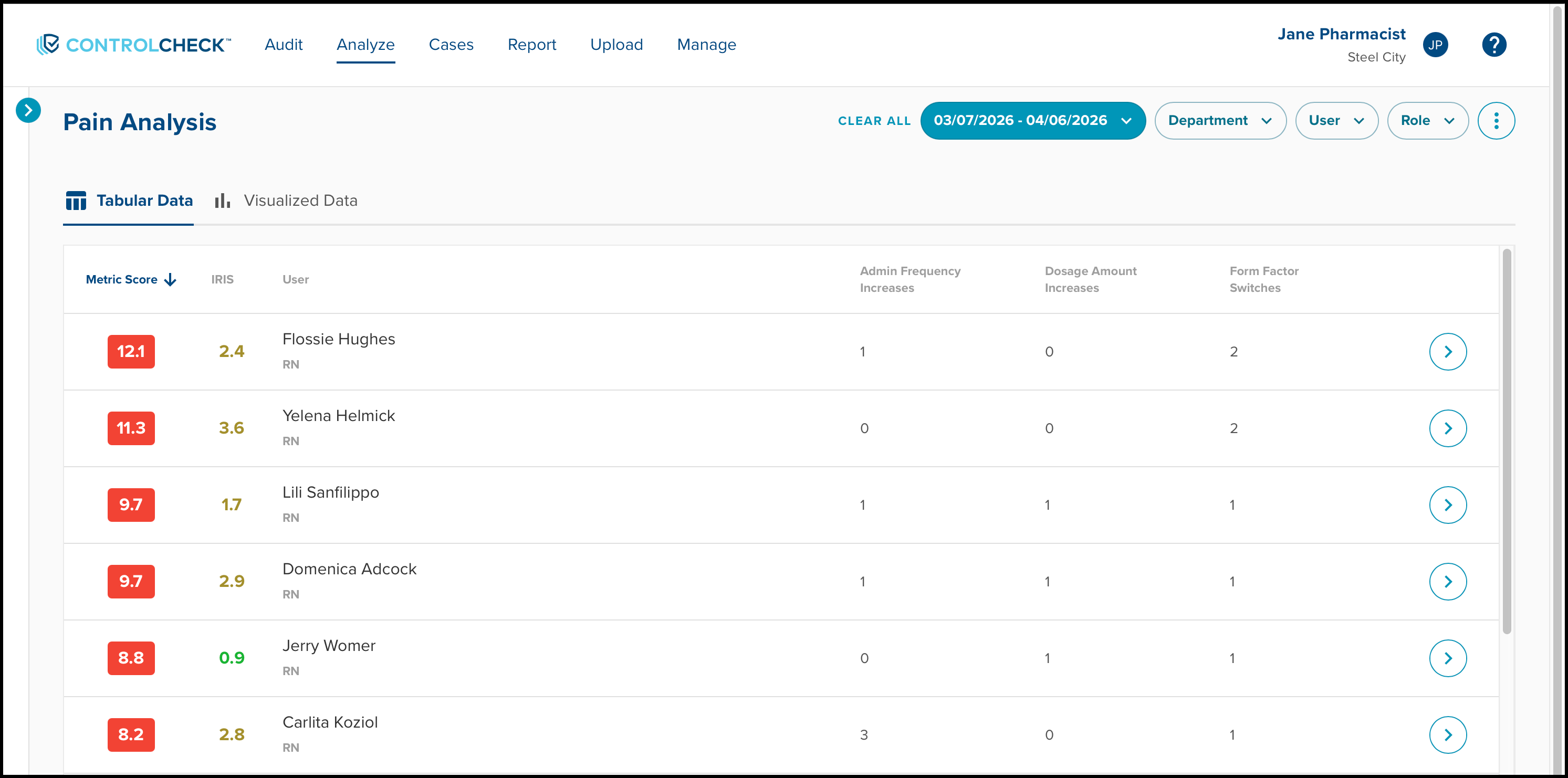
Filters
The Pain Analysis metric dashboard allows for the following filters:
- Date Range - allows you to select a start date and end date for your data
- Department
- User
- Role

Investigate the Data
Within the Tabular Data tab, users will display in a table. The table highlights the user's Pain Analysis Metric score, their overall IRIS score, their name, their administration frequency increases, dosage amount increases, and form factor switches within each column. 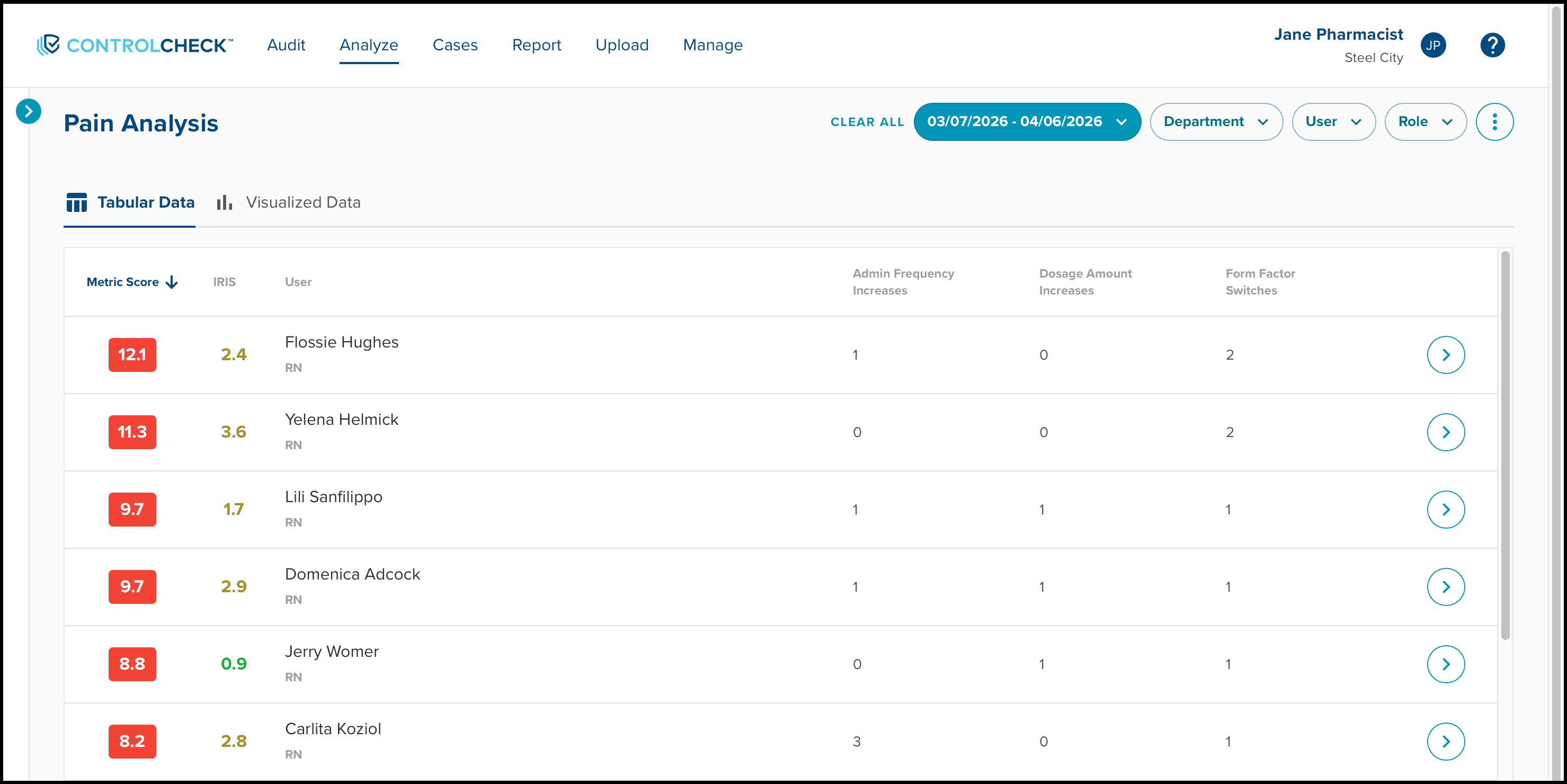
Selecting a user will open the Unusual Pain Related Events window on the right side of the screen. This highlights any usual events within the Pain Analysis metric. These events are organized by patient and medication.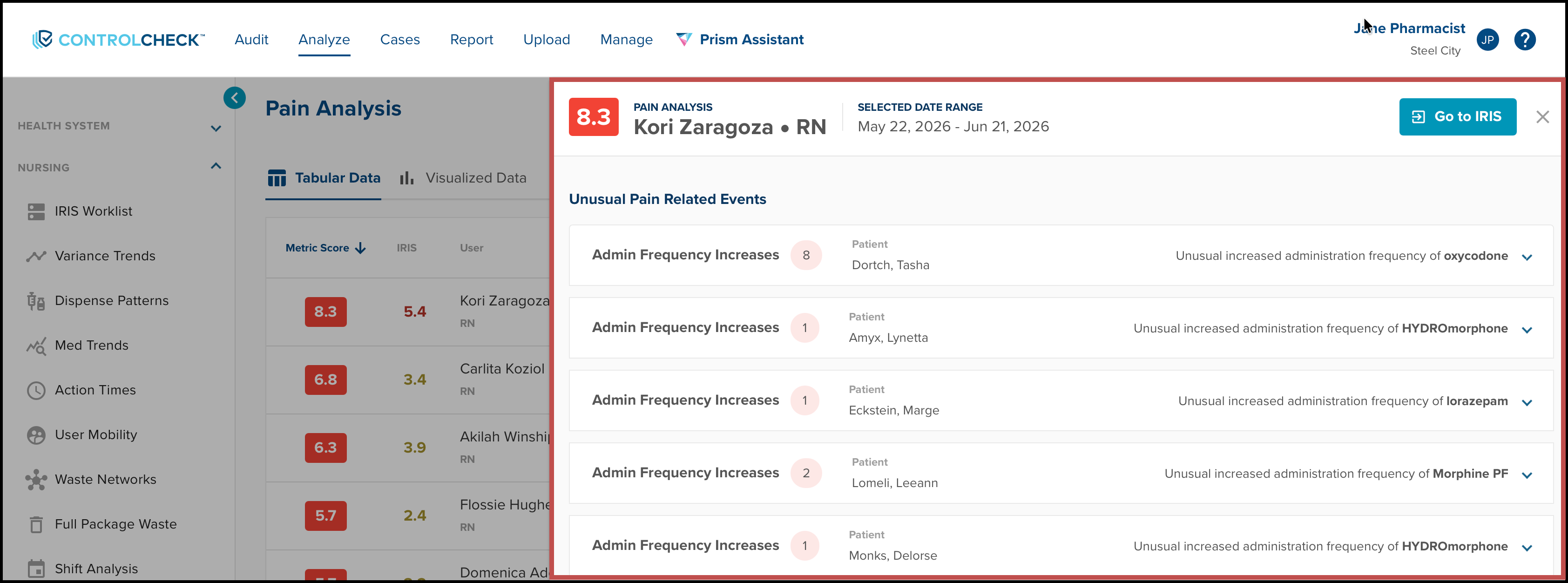
Expanding each time will display all of the transactions associated with the patient-medication combination. Any flagged transactions will display with an alert icon. 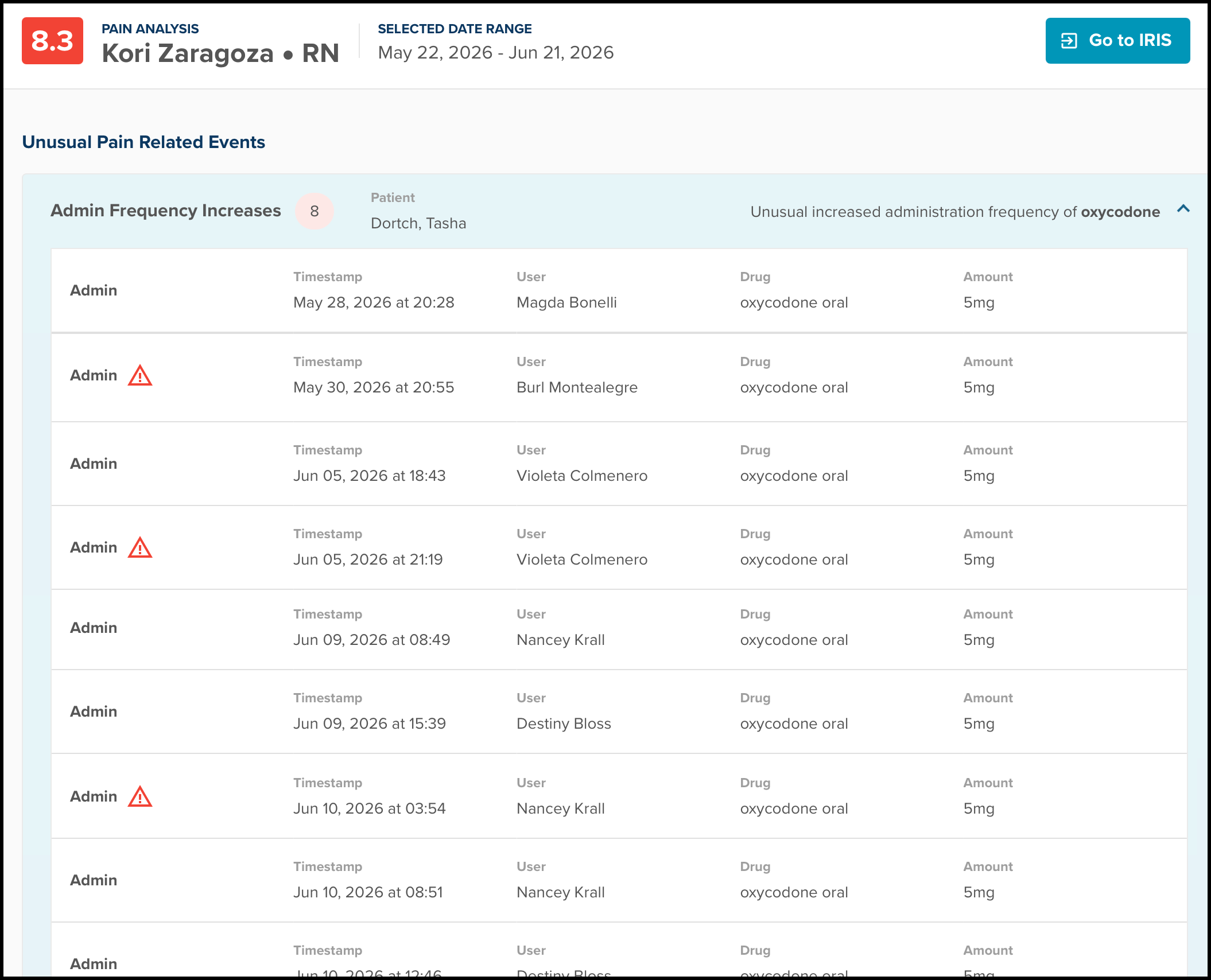
Within the Visualized Data tab, the Pain Analysis data will display in a bar graph that demonstrates the user's pain related activity.
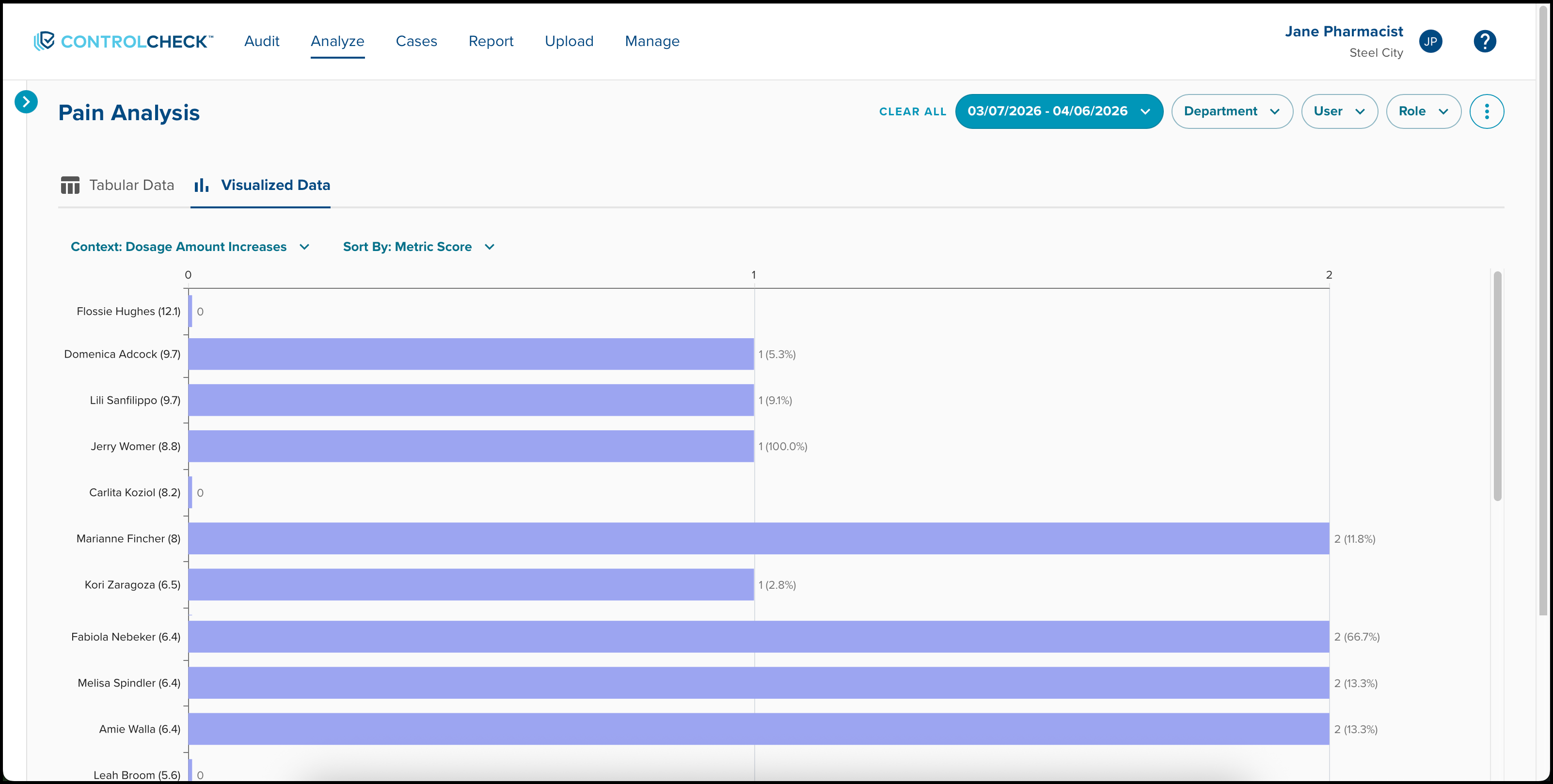
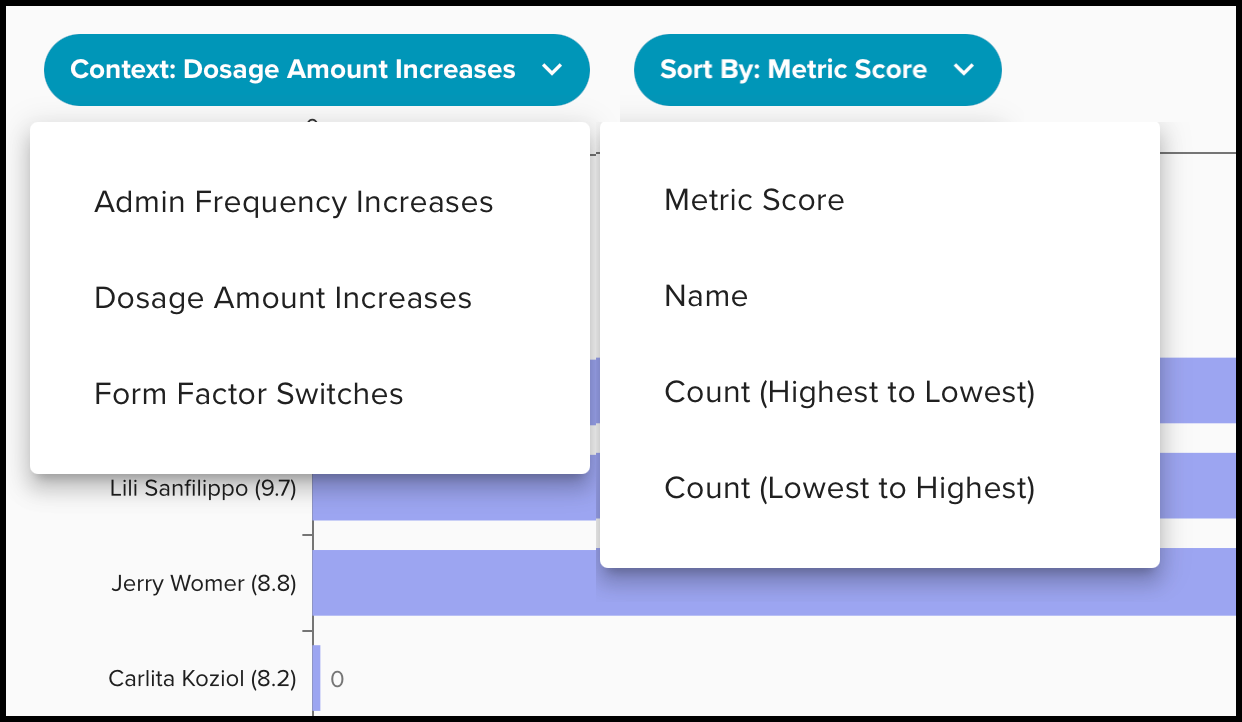
There are two additional filters within the Visualized Data tab.
- Context: The Context filter adjusts the display of data in the bar graph based on the 3 Sub Metrics (Admin Frequency Increases, Dosage Amount Increases, and Form Factor Switches)
- Sort By: Sorting offers various options to adjust the display of data shown within the graph
A Note on the Data & Methods
- Focus on high-risk patterns: Diversion and misuse of opioids often present as subtle pattern changes over time — PRA is designed to catch these early
- Reduce manual review burden: Focuses auditor attention on patients with statistically notable escalation patterns
- Patient-centric view: Analyzes medication administration in the context of a complete patient visit, not just individual transactions
- Integrated workflow: Fully integrated into the IRIS worklist so investigators can review and open reviews or cases from a single view
Examples of when to investigate:
- A provider consistently escalates pain medication dosages for multiple patients beyond what peers do in similar situations
- Unusual frequency of administration increases that don't align with documented pain scores or clinical progression
- Repeated switches from oral to IV formulations when the clinical expectation would be the opposite
- Patterns that appear across multiple patients cared for by the same provider
Was this article helpful?
That’s Great!
Thank you for your feedback
Sorry! We couldn't be helpful
Thank you for your feedback
Feedback sent
We appreciate your effort and will try to fix the article