Features
Prism
Improved understanding of medication form factors
Prism can now distinguish between different form factors (e.g., tablet vs. liquid vs. injectable) of the same medication when analyzing dispense, administration, and waste patterns. This gives investigators better visibility into form-factor-specific behavior that can be an indicator of diversion intent & preferences.
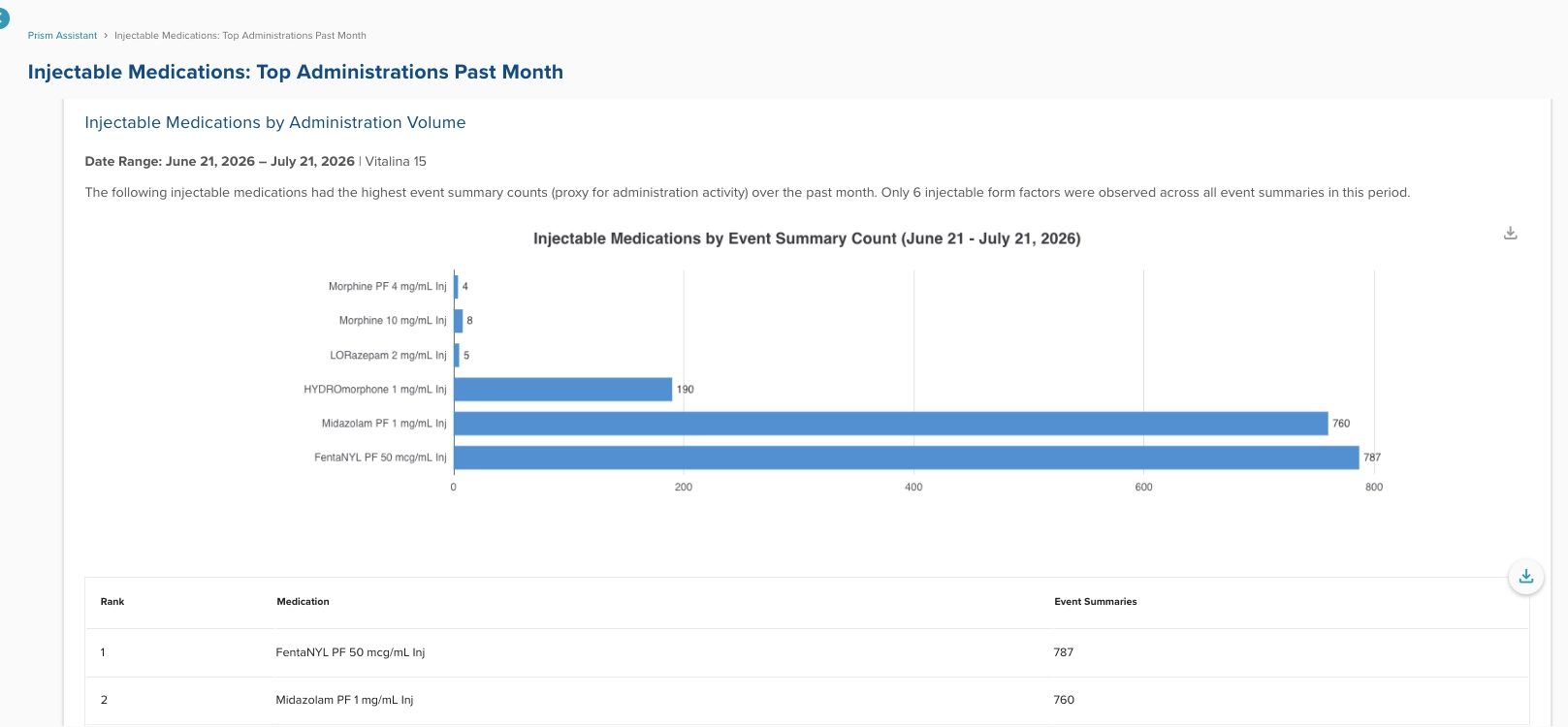
Prism now can respond to prompts investigating details of specific form factors for diversion investigators.
Prism now lists specific date ranges in responses
Prism has been tweaked so that responses always include the specific date range used for analysis — even when a user's request uses vague date language (e.g., "last 3 months") — making it easier to verify exactly what period a chart or table reflects.
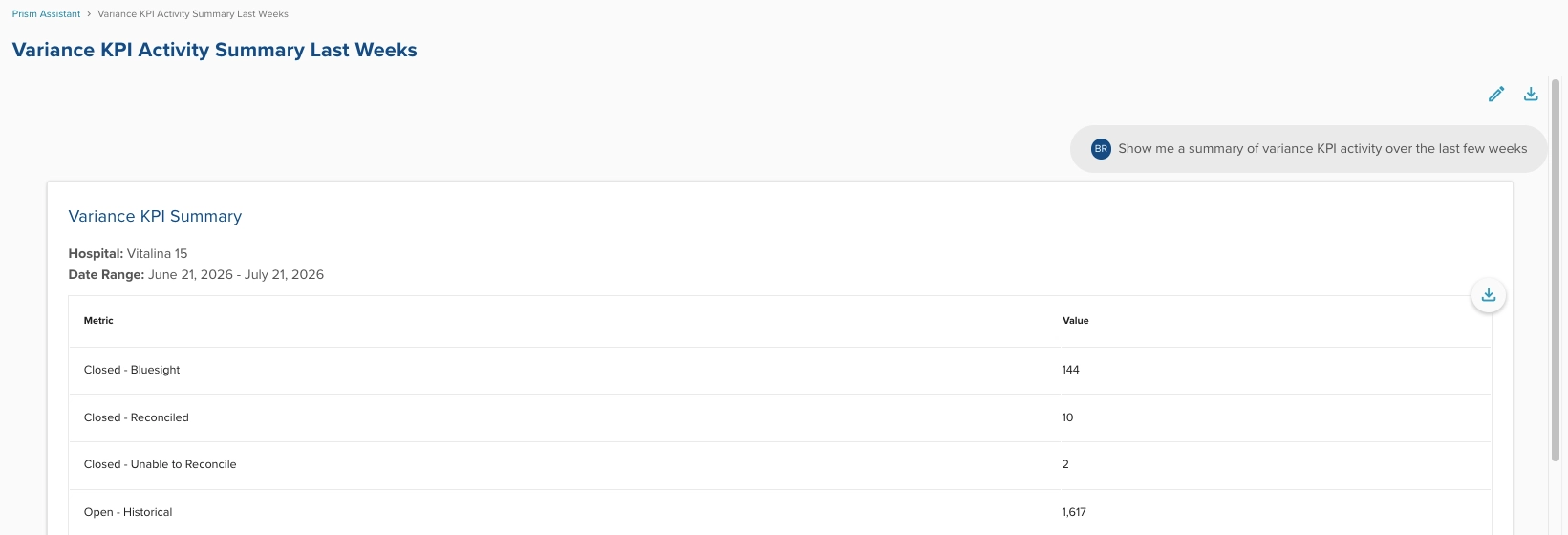
Even after a vague timeframe, Prism clearly outlines it’s assumed date range for analysis context.
Bug Fixes
Prism
Improved context on Prism-generated data tables
Prism now has clearer framing around the data tables it generates. This is an accuracy update addressing edge case situations where a Prism analysis might contradict aspects of the data tables it had generated. With this update, users can better trust and interpret the data being shown.
Medication re-mapping accuracy
Fixed an issue where remapping a medication left behind old equivalent-medication associations, which could cause outdated records to incorrectly surface in later event summary searches. While this bug wasn’t an issue with workflows in our audit tables or reporting exports, it did have impact on Prism returning all medication examples from prompting feedback we’ve seen.
Resolved scenarios where KPI metrics could be expressed in seconds
Fixed a unit mismatch in the time-to-action API where response values were returned in seconds despite being labeled as minutes, which caused Prism to display inaccurate average times.
Fixes on other features
- Corrected the bulk-edit UI on Patient Care Audit so it no longer implies that a file attachment can be applied to multiple selected Event Summaries at once when that isn't supported.
- Repositioned the "Scroll to the top" button on Investigate Data pages so it no longer obstructs the view of event cards while reviewing data at the bottom of your browser window.
- Fixed an issue on the User Mobility page where applying a department filter could return metrics and hyperlinks tied to the wrong provider.
Was this article helpful?
That’s Great!
Thank you for your feedback
Sorry! We couldn't be helpful
Thank you for your feedback
Feedback sent
We appreciate your effort and will try to fix the article