Features
New Design - Med Trends Metric Page
Key Improvements
1. Multi-drug, multi-dimensional comparison
This new design introduces a table/list view of medication events (sorted by metric score) so pharmacists — who are typically comfortable working in spreadsheet-style tools — can see multiple medications, form factors, and event types side by side instead of switching between single-drug views.
2. Drill-down from user to medication detail
Users can start from a stacked list of individuals (e.g., ranked by touches across controlled medications), then drill into a specific person to see their activity across multiple medications and form factors — comparing event counts against the mass/volume handled for each.
3. Peer comparison retained
The existing scatter plot peer-comparison view is preserved alongside the new table view, so users don't lose that capability — they gain an additional, more exploratory lens on top of it.
Why It Matters
Together, these changes move the page from a narrow, single-drug view toward a more contextual, comparative, and exploratory tool — letting users quickly identify who and what to investigate, then drill into event-level detail only when needed, across hospitals, departments, and user groups.
See it in Action
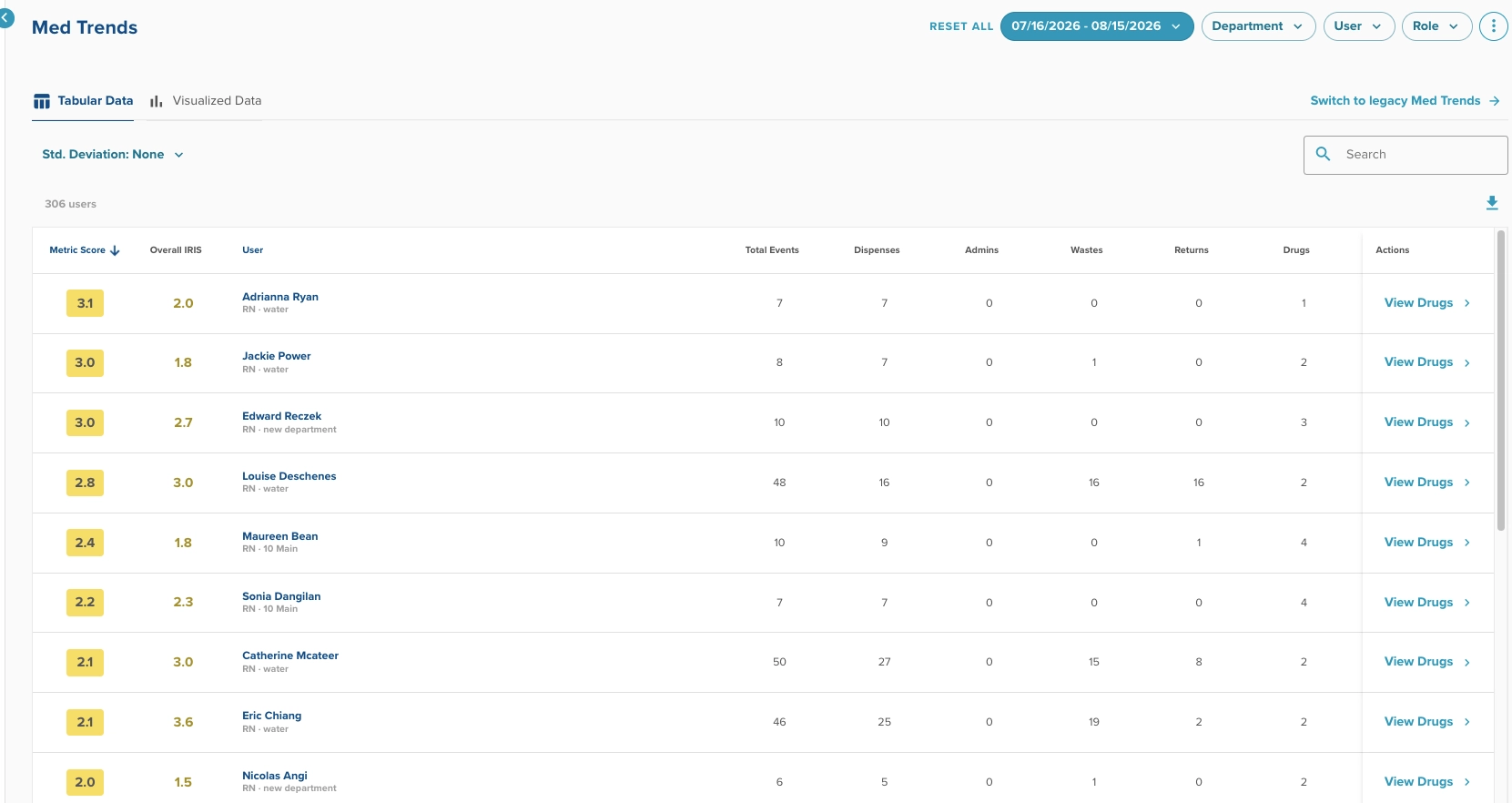
Compare a user’s activity against others for specific drug touches.
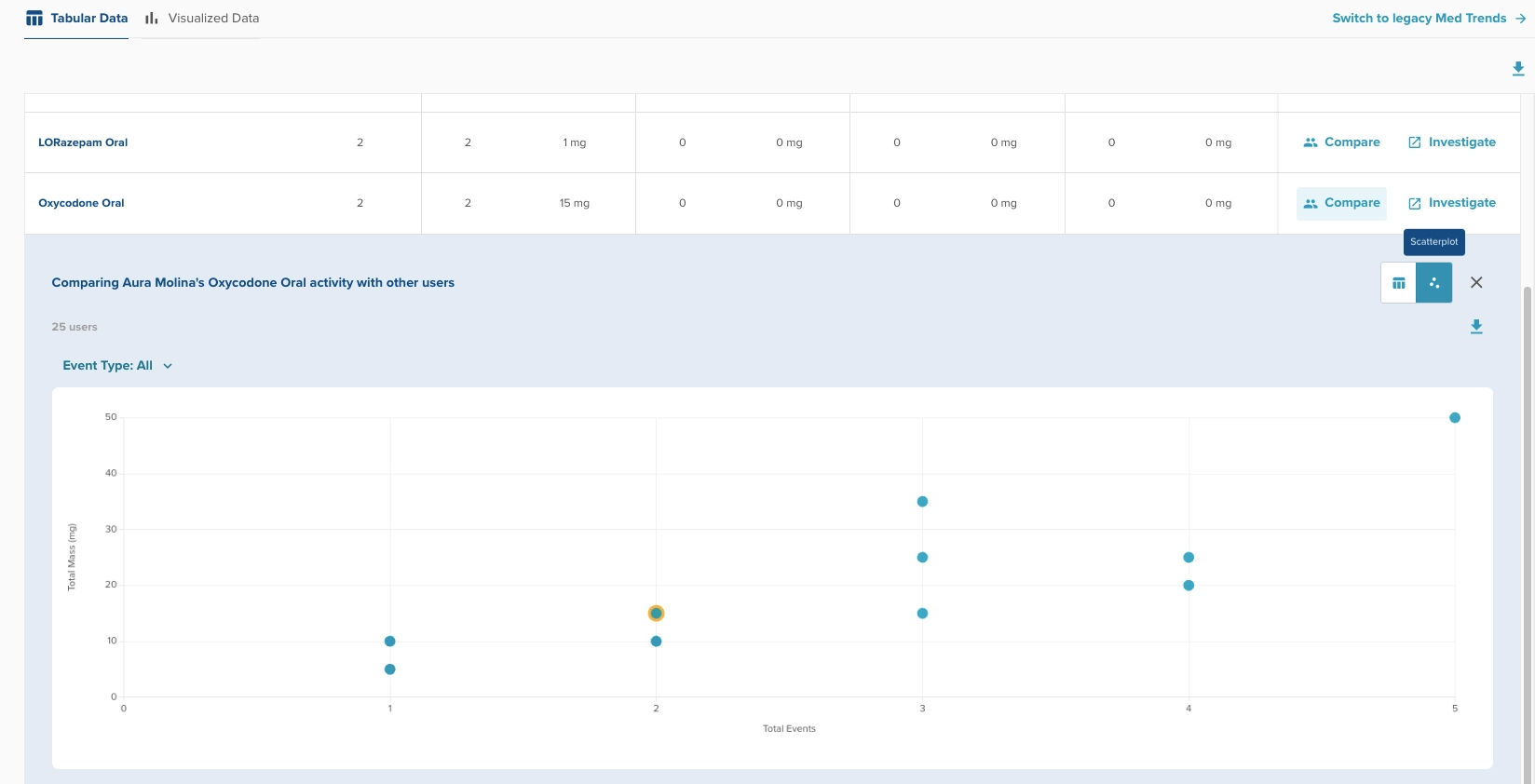
We’ve retained scatterplot charting to help quickly visually assess a provider’s activity.
Fate of the Old Experience
The (now) legacy experience can still be accessed. Do so by clicking into the link provided in the top right, just underneath the filter options.

Sunset timeline (1-3 months): We intend to sunset the old experience within the next 1-3 months, at which point there will no longer be access to the legacy experience. Our product team will define a sunset date after reviewing click metrics into the legacy experience and reviewing feedback on the new experience.
Prism Patient PHI (Phase 1)
Today, we’re launching the first iteration of Prism’s interaction with Patient data. With this small advance, Prism has the ability to return the names of specific patients associated with event summaries.
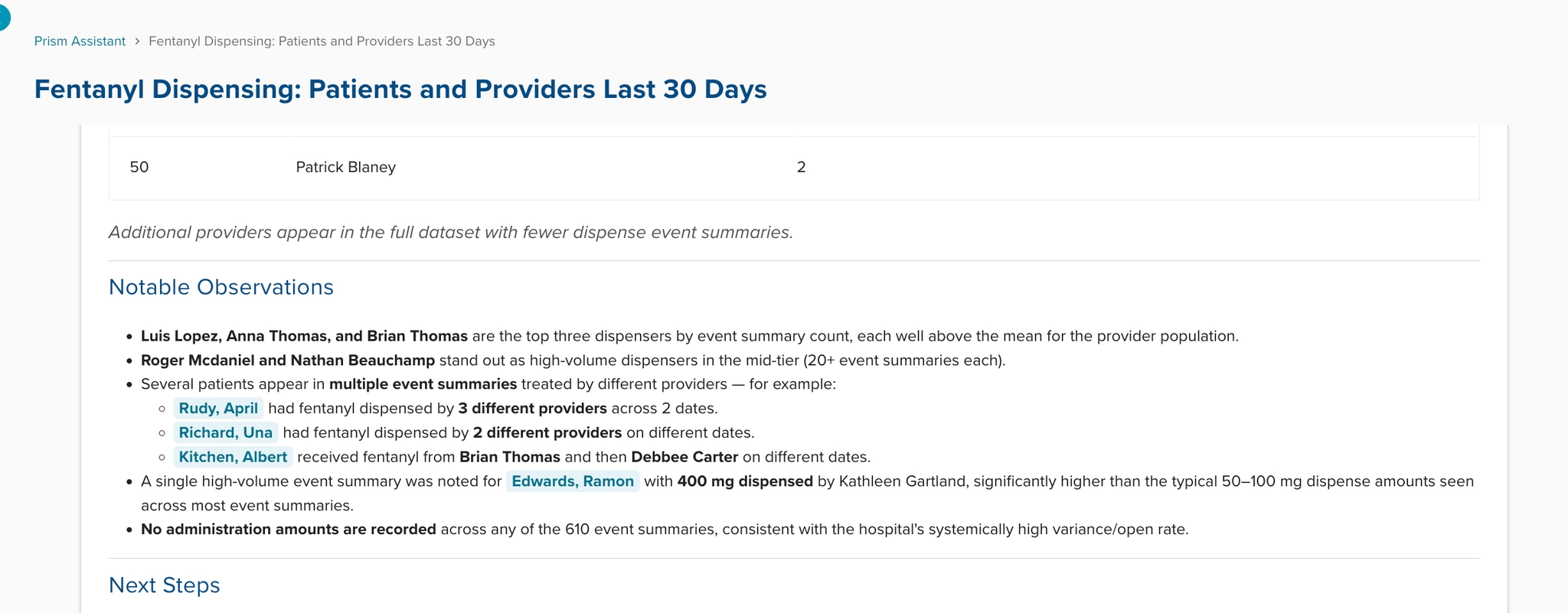
Patient names will always visually standout with a blue font and highlight.
Current Limitations
As this is phase 1 of a multi-release project, be aware that this first doesn’t fully capture our full, intended capability.
Do’s
- In general, prompters can ask prism for a list of patients that have activity associated with certain drugs or providers.
- Prism may also present patient names, unprompted, if Prism determines a patient is relevant to analysis of your prompt.
- Do practice save PHI data handling when exporting Prism responses. To help identify PHI, patient names are formatted in blue text and highlight.
Don’t
- (Again) Don’t share Prism responses without checking for PHI first.
- Do not expect Prism to rank or sort patients by activity.
- i.e. a prompt such as “List the top patients by fentanyl wastes over the past 30 days.” is not expected to work in this Phase 1 release.
- Do not expect Prism to build charts based on patient events.
- i.e. a prompt such as “Generate a chart of fentanyl dispense mass by provider in the NICU department.” is not expected to work in this Phase 1 release.
Audit KPI Report
KPI Audit Report now includes Provider Role
When a KPI report is grouped by provider, it now shows that provider's role right next to their name. This makes it easy to filter a report down to just CRNAs (or any other role) activity before sharing it with department leadership.
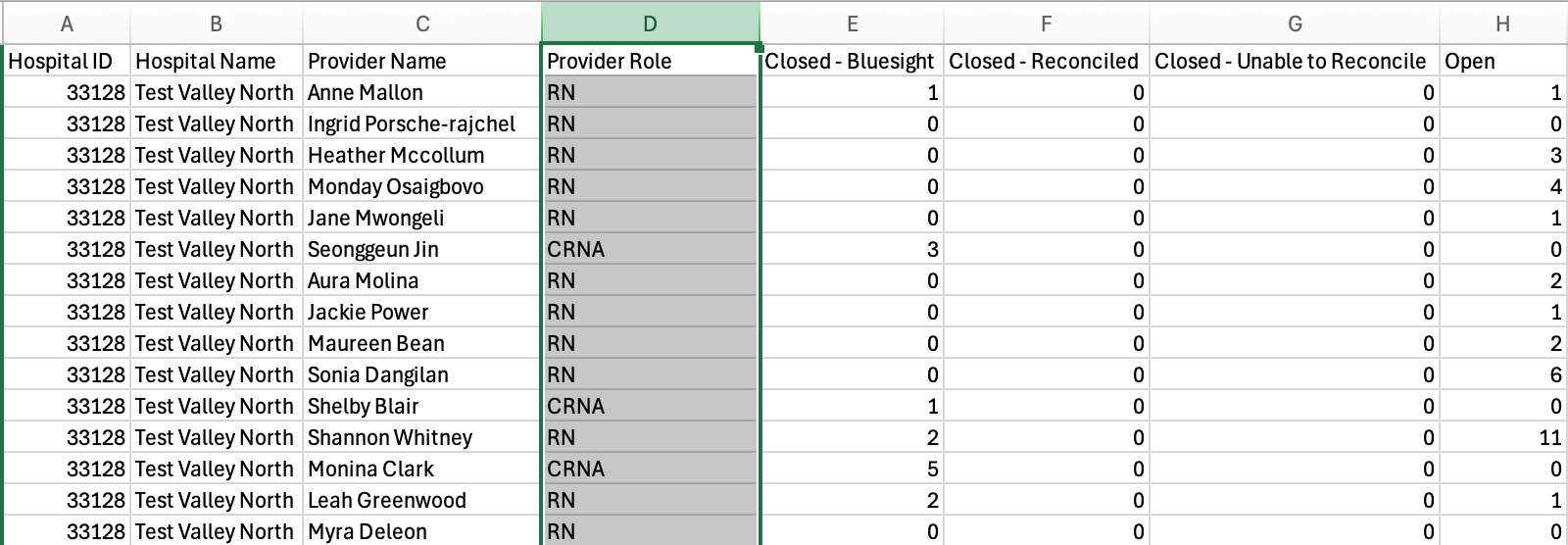
Sample Audit KPI report export containing the provider role field.
Bug Fixes
Event Summary cards will round decimals to 5 places from EMR or ADC supplied data.
- Background: In advance of upcoming changes for infusions, we began rounding to 2 decimal places on the Event Summary card, which is great for the calculations we’ll be making to estimate mass administered. However, This can sometimes result in hiding legitimate variances where the variance amount is attributed to the 3rd decimal place or beyond. We will continue to round to 2 decimals for ControlCheck made calculations on the infusions feature.
Timezone fix for date-range searches
Fixed a bug where searching by date range could return the wrong results if your computer's timezone was different from the hospital's timezone. Date ranges now consistently reflect what's shown in the date picker, regardless of where you're logging in from.
Was this article helpful?
That’s Great!
Thank you for your feedback
Sorry! We couldn't be helpful
Thank you for your feedback
Feedback sent
We appreciate your effort and will try to fix the article