Features
Prism Event Search
Up until today, Prism was limited to data at the audit event summary level. With this release, Prism will now have access to the underlying events that roll up into an event summary, providing an extra layer of detail Prism can leverage to serve more accurate results on provider behavior.
Why should we care?
The benefit of this improvement is most obvious when multiple providers are grouped into the same event summary. Consider the following event summary from our Demo site:
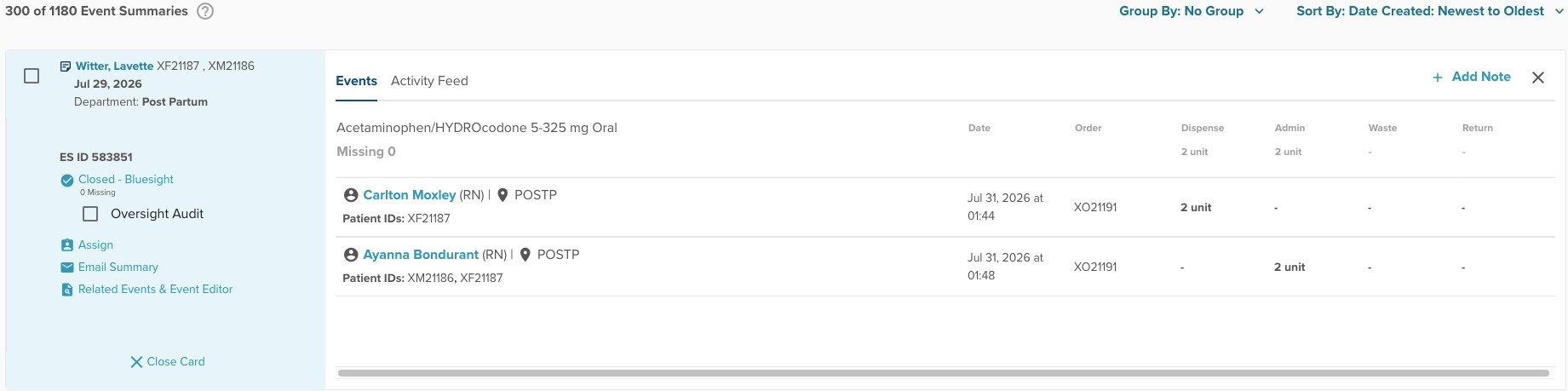
In the past, Prism would be aware that this event summary contained a dispense, an admin, and that two providers were involved. But which provider actually administered the medication? Was it Carlton? Ayanna?
Now that Prism has access to the underlying events within this summary, Prism can accurately distinguish that is was, in fact, Ayanna who administered the medication. This detail can be critical in relating audit table concepts to medication trends metrics or preparing summaries of provider behavior that investigators can rely on.
Full Screen Event Summaries
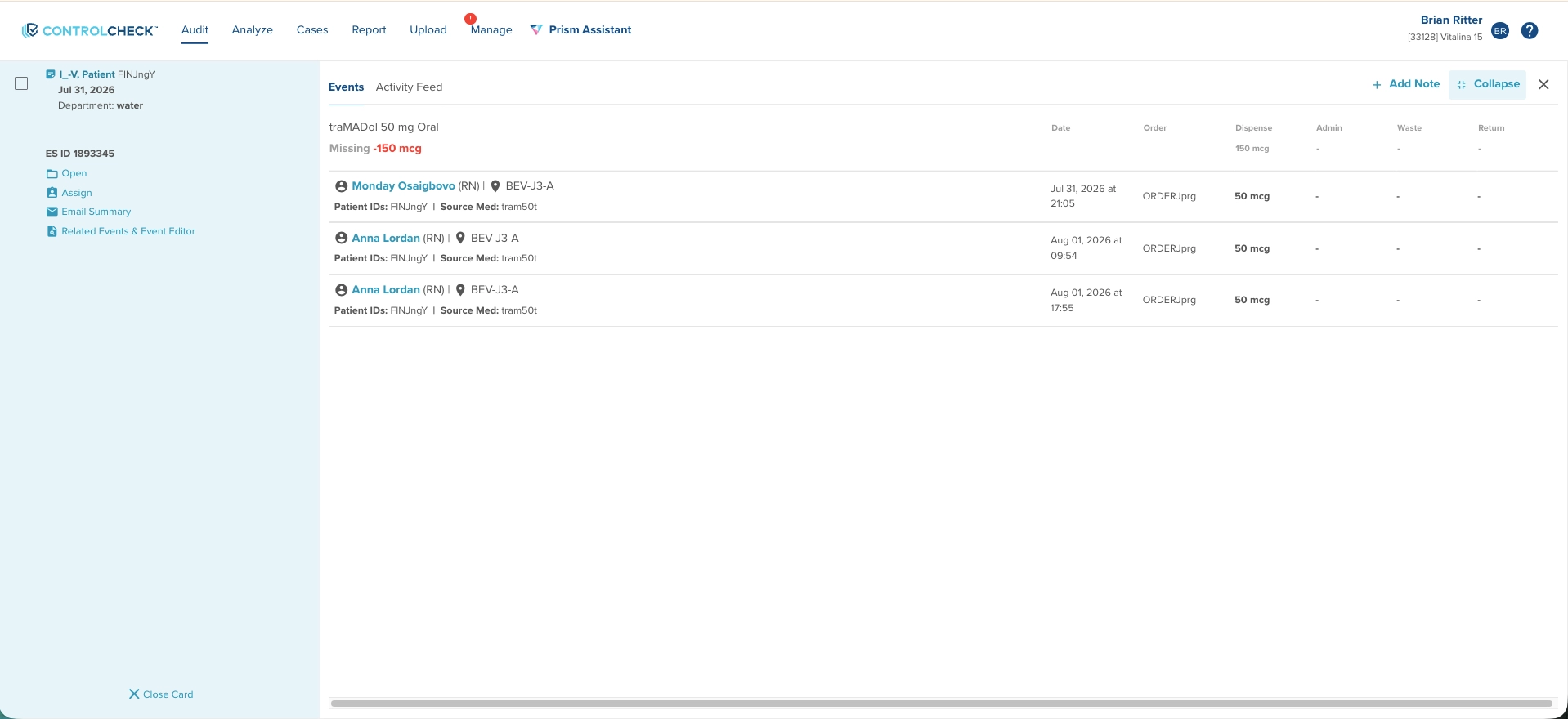
We’ve added a full-screen mode to the event summary card, accessible via a new Expand/Collapse button. Take advantage of this feature when reviewing event summaries with many events, reducing the need to scroll to get the full picture of activity.
New Resource Center!
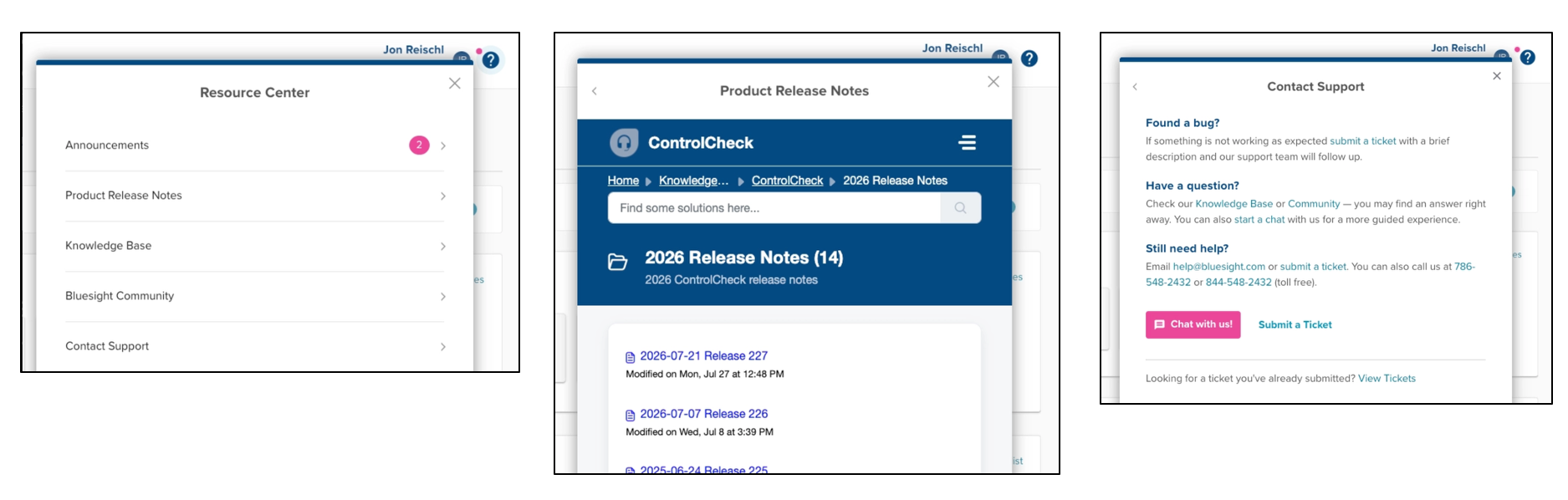
We’ve upgraded our help documentation and support options, giving users better access to Release Notes, Knowledge Base articles, Onboarding guides, Community forum, and Support resources.
Bug Fixes
- Prism: Consistent Next-Step Follow-Up
- Fixed an issue where Prism was inconsistently following up with the correct next steps prompted by users, improving reliability of guided next-step responses.
- Retail Module: Fixed Retail Event Grouping for Same-Timestamp Events
- Resolved an issue where retail pharmacy events occurring at exactly the same time failed to group correctly.
- Fixed Pain Related Analysis (PRA) Metric Returning Incorrect Case
- Fixed an issue where the PRA metric surfaced cases not actually associated with the selected provider. The provider panel now only displays a case when a flagged administration row for the selected user has an associated violation warning.
Was this article helpful?
That’s Great!
Thank you for your feedback
Sorry! We couldn't be helpful
Thank you for your feedback
Feedback sent
We appreciate your effort and will try to fix the article