The KPI Audit Report summarizes data for patient care event summaries and can aggregate program data by various levels within the hospital. This report aggregates patient care event summaries into a single report.
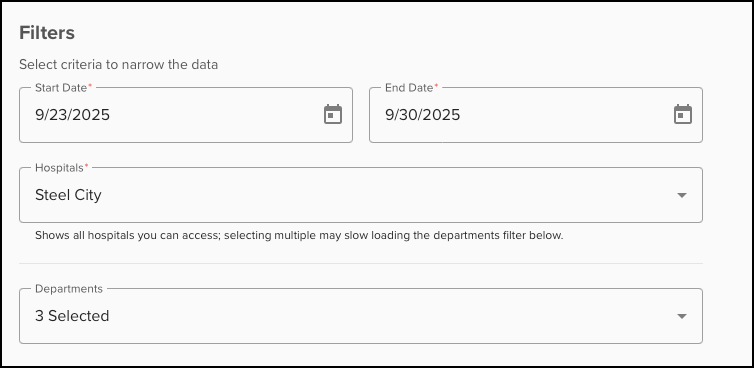
To generate a KPI Audit Report, begin by selecting the appropriate filters. These include the Start Date, End Date, Hospitals (if applicable), and Departments for the report.
The Group By section will change the display of the data grouped within the report. Options for grouping include Hospital (if applicable), Care Area, Department, Provider, and Drug. 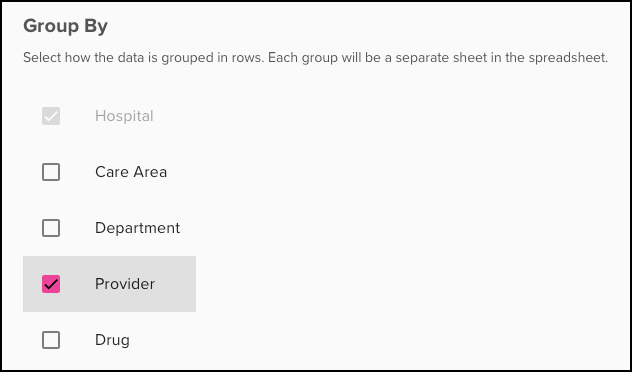
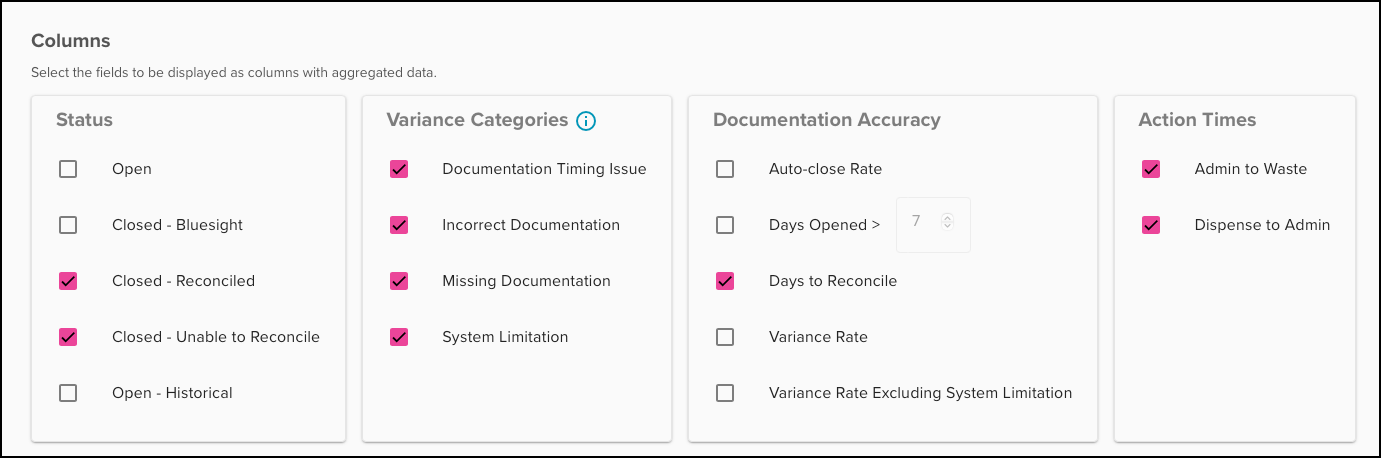
This report can include Custom Category Columns. Each field selected will display as columns within the report. Various options can be selected based on Status, Variance Categories, Documentation Accuracy, and Action Times.
Before generating the report, enter the Report Title.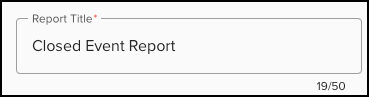
Select 'Request Data' to generate the report. 
Was this article helpful?
That’s Great!
Thank you for your feedback
Sorry! We couldn't be helpful
Thank you for your feedback
Feedback sent
We appreciate your effort and will try to fix the article