Updates
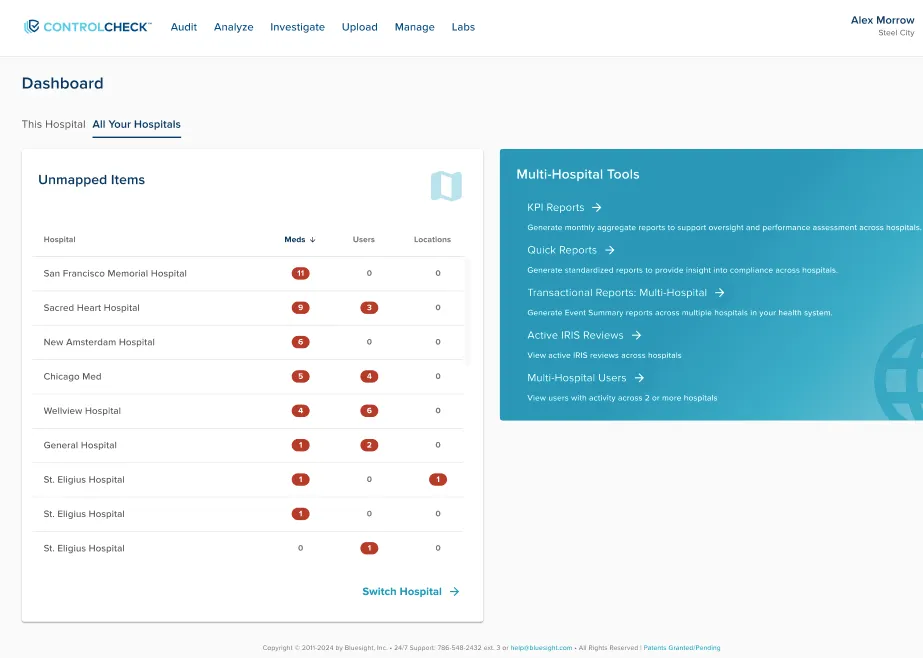
New Multi-Hospital Mapping Dashboard
In effort to help managers take stock of what mapping actions need to be taken, we’ve built a dashboard to help quickly prioritize potential mapping needs by hospital
- This dashboard defaults sorting to the top ten hospitals with medication mapping needs
- It’s sortable by unmapped medications, users, and locations
- This dashboard respects security controls. Users will only see actions needed for hospitals they have access to
Formulary - Unmapped Medications Tab Updates
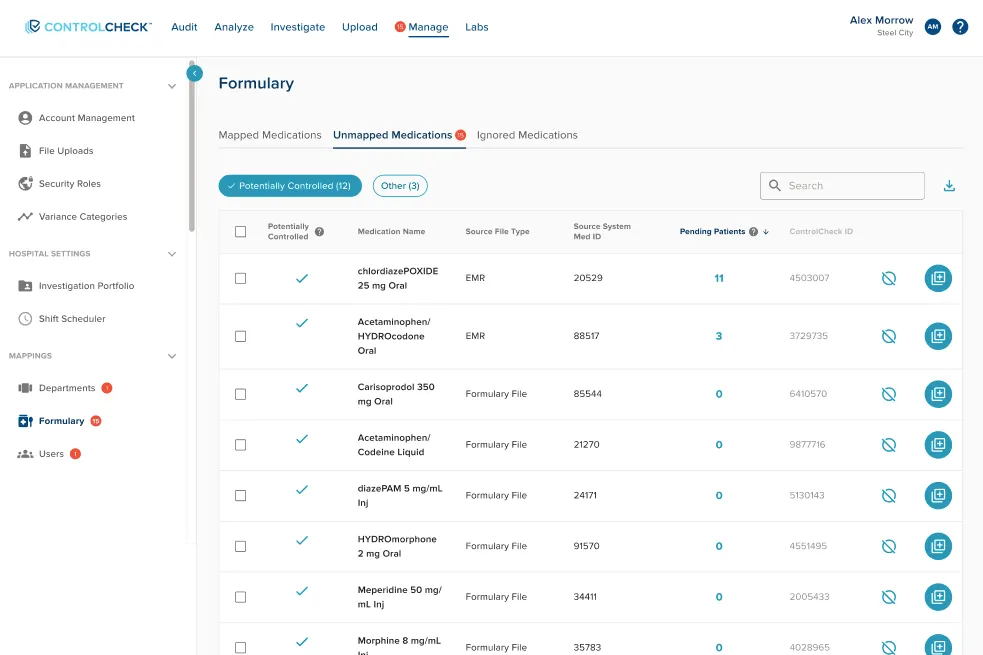
We’ve rearranged the medication mapping area to provide quicker actions and float relevant information to you to make informed decisions on what medications to map.
- In the below table, we’ve added the ability to:
- Multi-select meds
- Toggle between controlled and non-controlled substances
- Quantify patients with orders related to the unmapped drug
- Exposed the ignore and map action buttons to save an extra click
Pending Patients
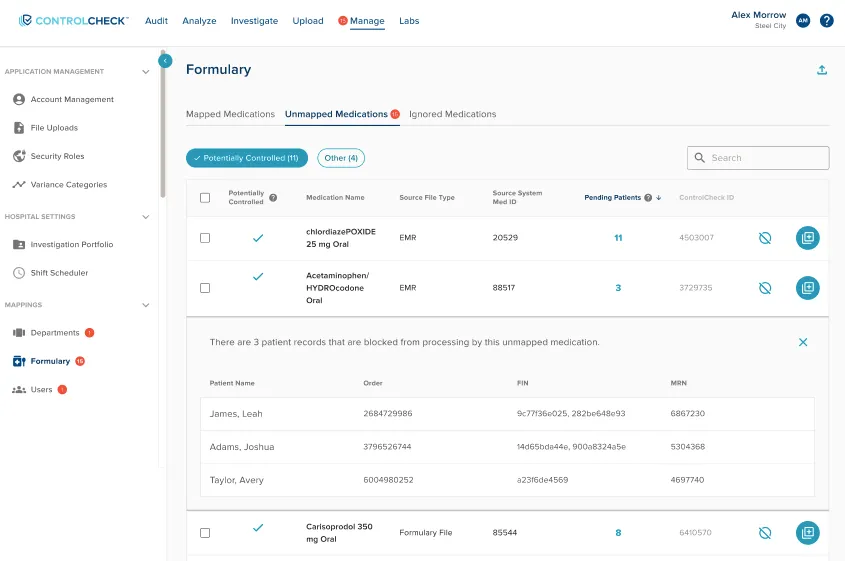
Additionally, when clicking on a cell for “Pending Patients”, this area will expand to a sub-table exposing more detail on the patient and order details to help you investigate.
Bug Fixes
Users can delete security roles, as expected
- An edge case where system benchmark user might have a role in scope of deletion prevented the deletion of the security role. Now, when deleting a security role, ControlCheck also removes the role if it’s associated to a user
KPI summary report returns the correct event summary counts, as expected
- When an event summary was joined to multiple departments, this had caused duplicative event summary counts in the report
Was this article helpful?
That’s Great!
Thank you for your feedback
Sorry! We couldn't be helpful
Thank you for your feedback
Feedback sent
We appreciate your effort and will try to fix the article