Features
Review Report
Today, we’re releasing new reportable visibility into your review data. This is an improvement upon previous ControlCheck versions that were limited to showing the most recent reviews for all providers or all historical reviews for a single provider at a time. Now, through reporting, ControlCheck enables users to pull all relevant data associated with a review; and it’s multi-hospital capable.
To access this report, navigate to the Report section. Then find the IRIS Reviews report under a new reporting section called Investigative Reports. Finally, configure the report utilizing a few parameters including date range, hospital location(s), department(s), and care area. When ready, the report will be available for download in the ControlCheck Report Inbox.
Screenshots
 New reporting section, Investigative Reports
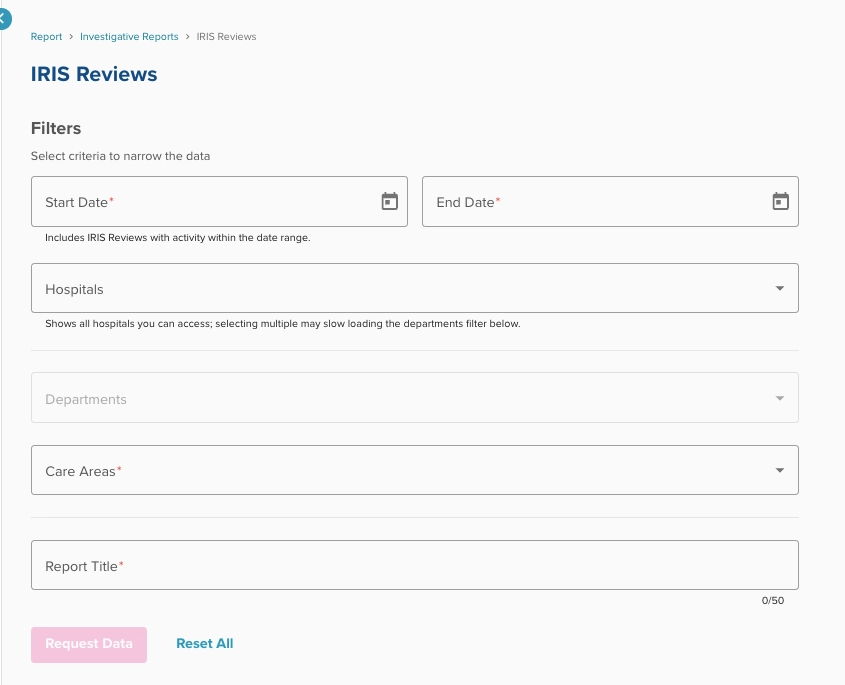 Configure your Review Report using this filters page
 Example export of review data
Fields Outputted to .csv export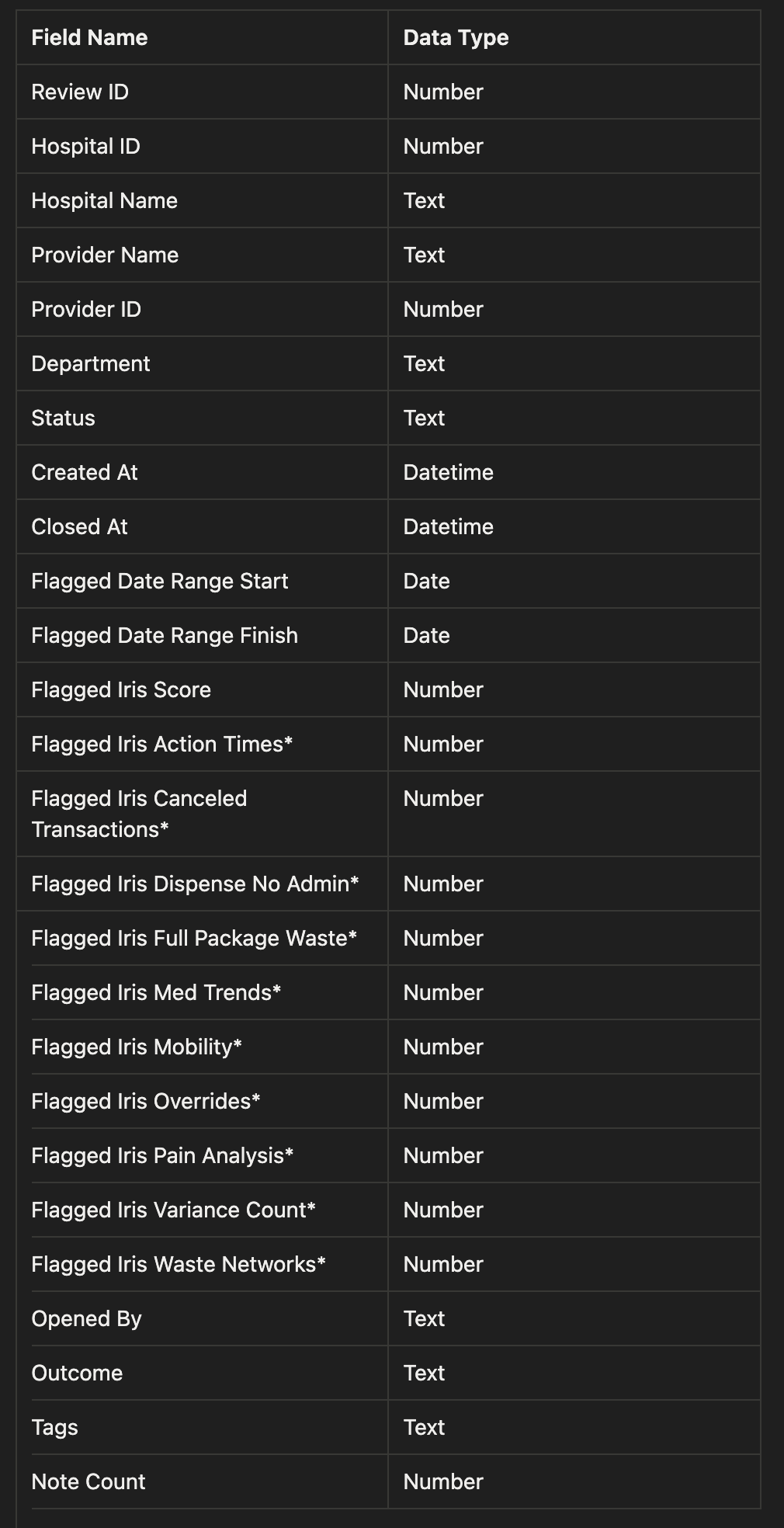
*When documenting a flagged metric score, there are two situations in which a metric will not return a value for a provider’s review:
- When the provider didn’t trigger enough activity within the flagged date range to compute an IRIS metric score, then this will be represented in the data as a null value (”-”).
- When the hospital where the review occurred is not configured for a given IRIS metric, then the data will be represented as not available(”N/A”).
New Ways to Access the Patient Detail Panel
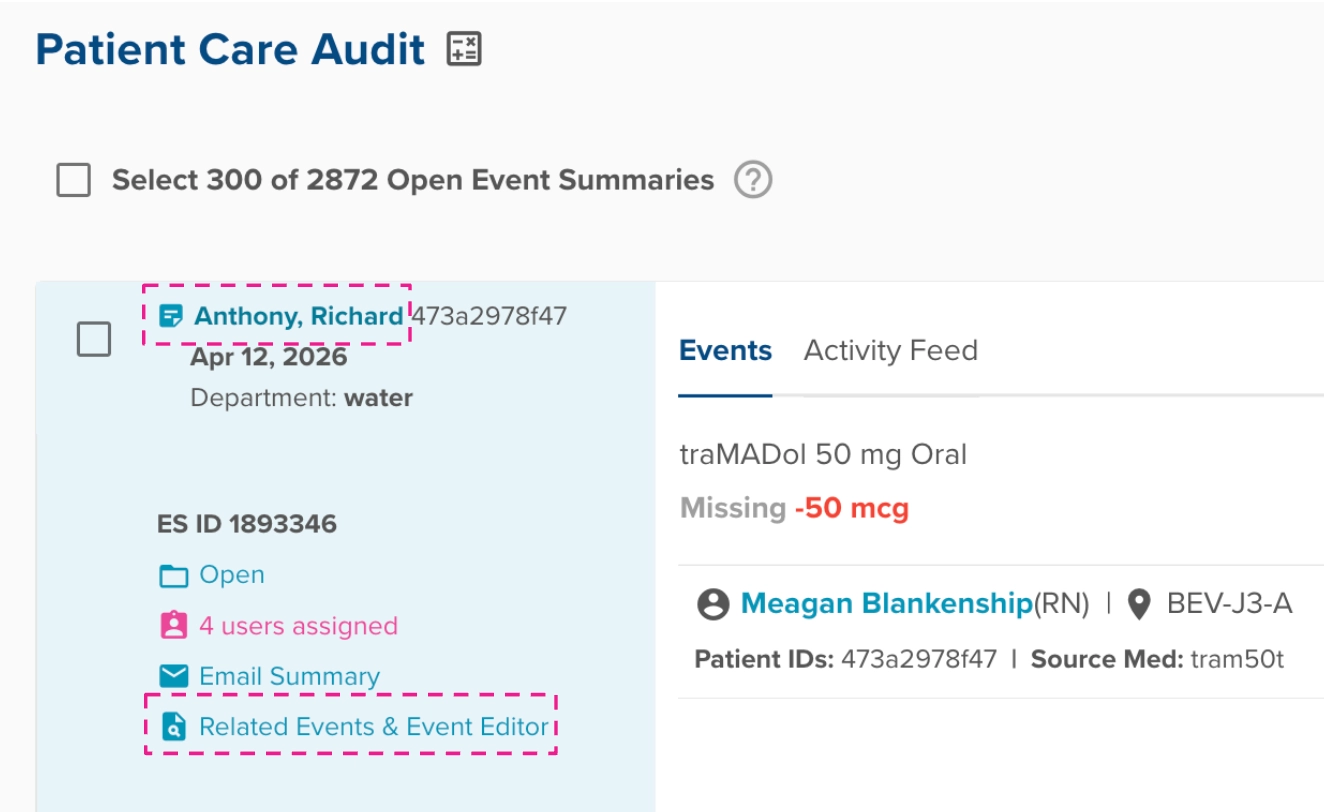
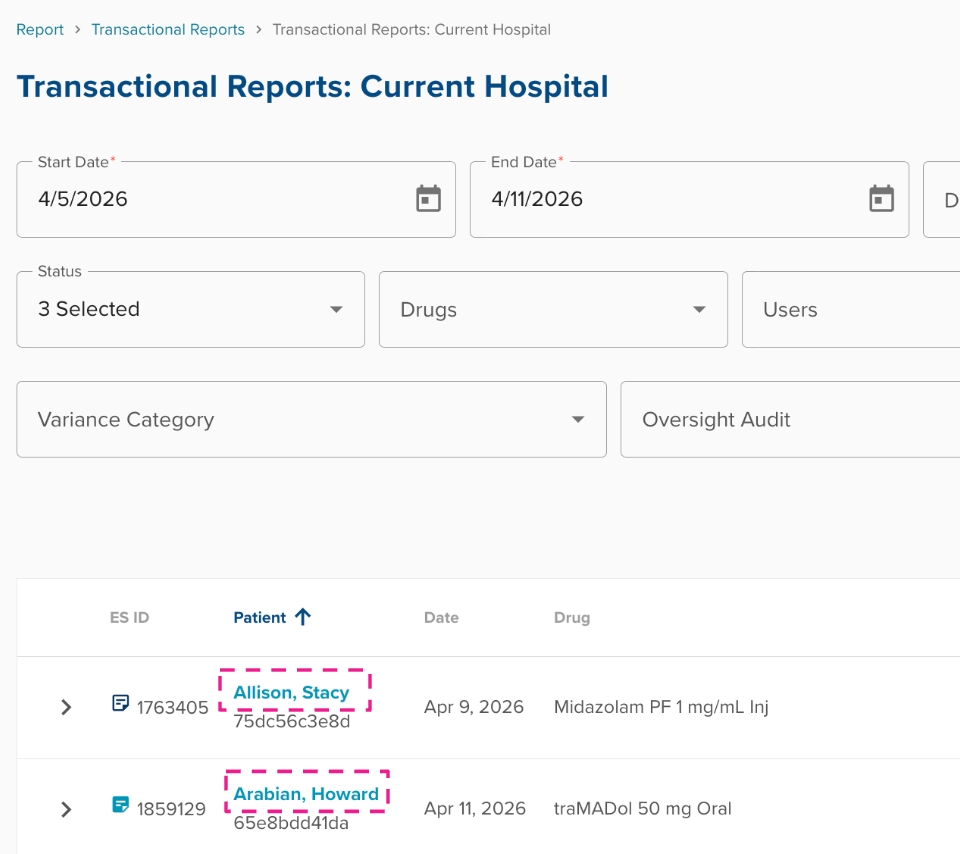
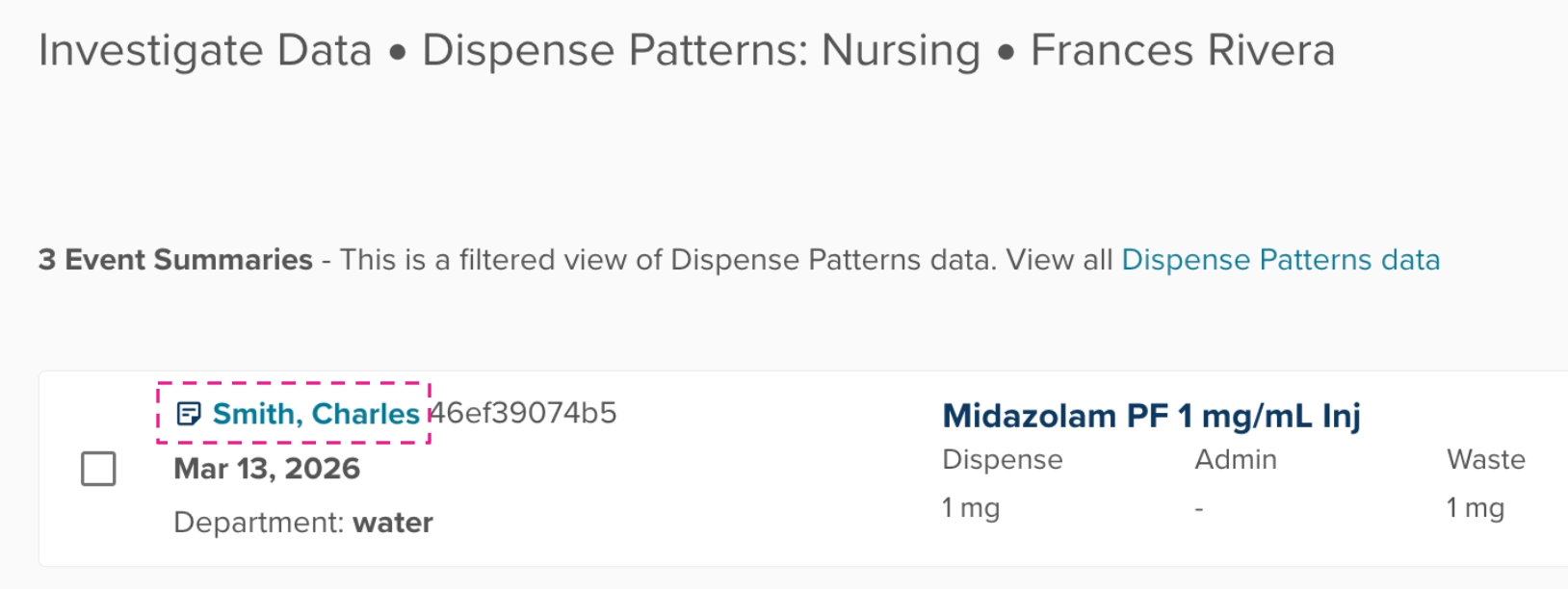
We've always envisioned the Patient Detail Panel to be accessible from a variety of workflows within ControlCheck. Today, we're adding clickable access when viewing a patient's name in event summary cards:
Audit Table Event Summary Card
Transactional Report Event Summary Card
IRIS Investigate Data Event Summary Card
IRIS Detail Panel Changes
The IRIS Detail Panel now shows all metric score cards, even for metrics that did not have enough data to compute the metric. We’re laying this change in to provide more consistency within the panel. With this minor change, we hope that users have less confusion when comparing providers that have data within a metric and providers who don’t have enough data to compute the metric.
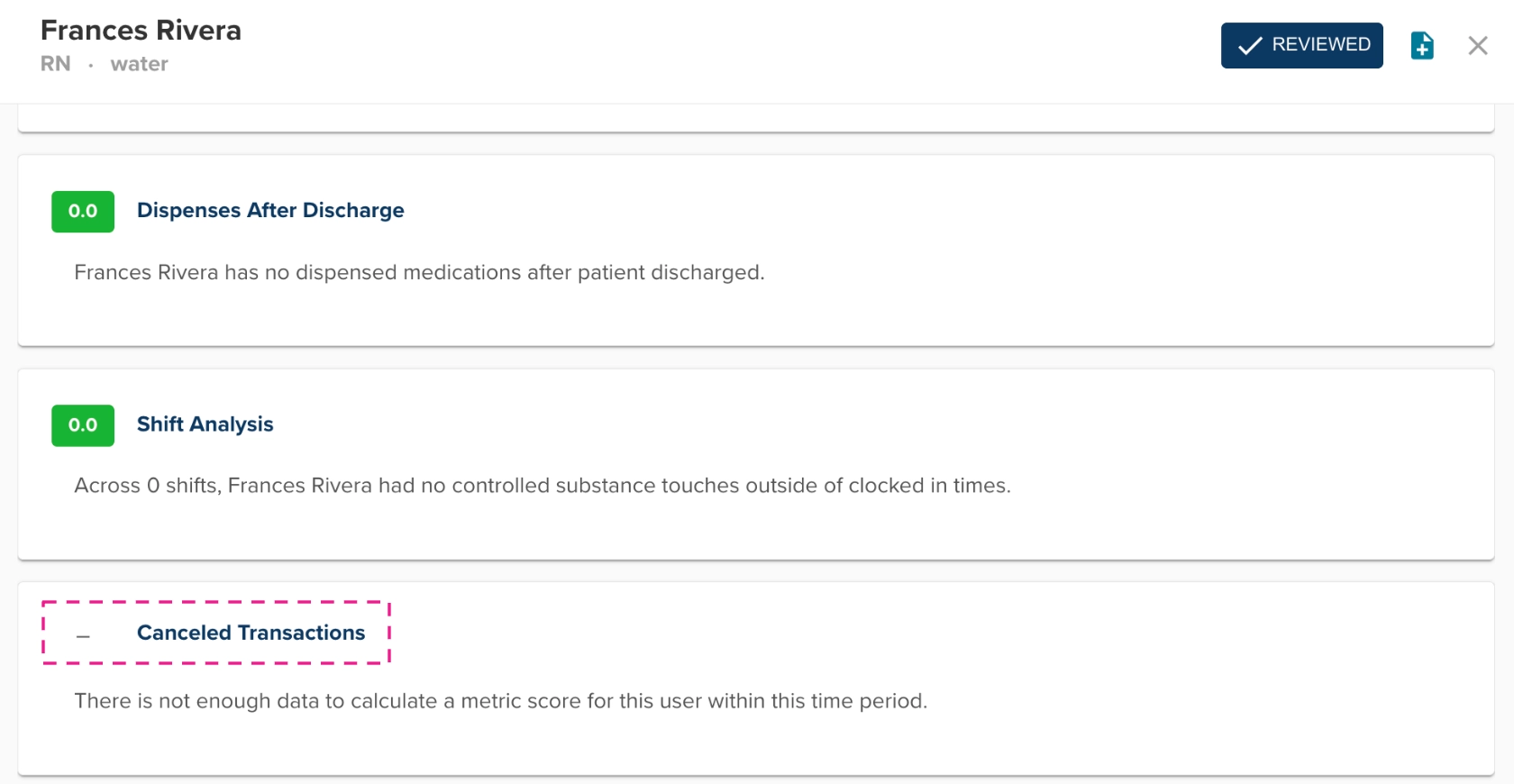
NOTE: The IRIS Detail Panel will only show metric cards for IRIS metrics that are configured for the hospital.
Adjustment of File Processing to Buffer to 7 Days
Background: Currently, IRIS metrics default to calculating metrics from 3 days to 33 days ago. This puts customers on a timer to close all variances within 3 days, which many struggle to do consistently. This negatively skews the variance trends metric score.
Change: ControlCheck will move all customers to a new default of calculating metrics from 7 days to 37 days ago (still a 30 day timeframe). We believe this will result in more accurate metrics for the customer base.
Exceptions: Customers who currently have their processing buffer set to something other than our previous default of 3 days
Bug Fixes
Fixed a Transactional Report generation issue where notes created by users who no longer have a security role at the hospital were being excluded from reports. The system now properly checks historical access to the hospital when generating reports.
Was this article helpful?
That’s Great!
Thank you for your feedback
Sorry! We couldn't be helpful
Thank you for your feedback
Feedback sent
We appreciate your effort and will try to fix the article